


SafeBrowser - Secure & Private
4.4126.00 Reviews
App Specs
- Version
- 1.0.5
- Updated On
- License
- Free
- Downloads
- 100,000+
- Developer
- Smart Utils Dev Team
- Categories
- Tools
- Platform
- Android
Screenshots
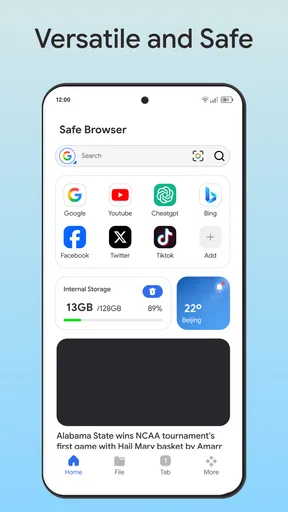
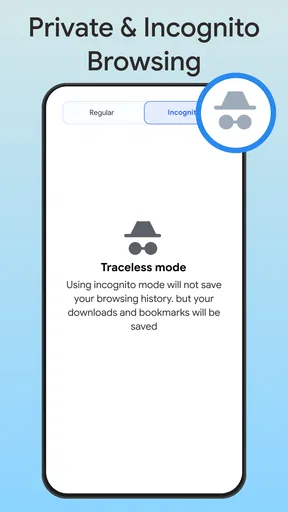
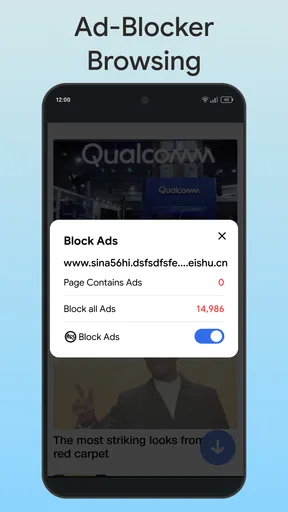
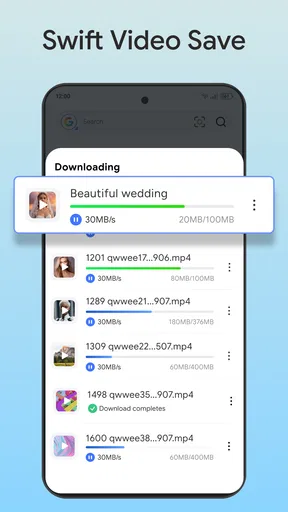
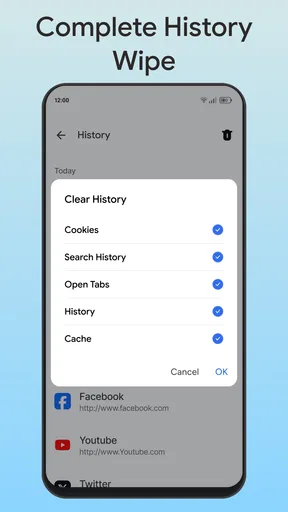
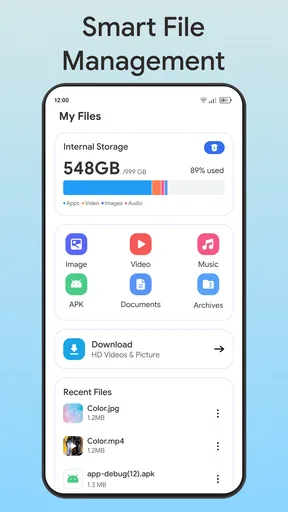

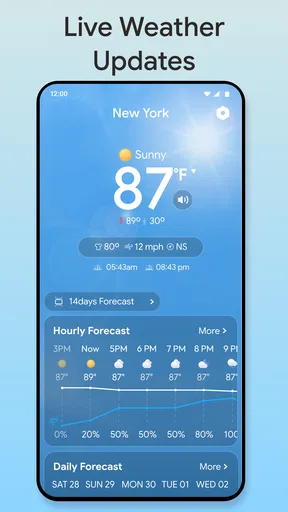
 Analysis by AppCompare
I approached SafeBrowser - Secure & Private as a practical tools app rather than just another browser with a reassuring name. Its store summary presents it as an all-inclusive private and smart browser, while the shorter description calls it SafeBrowser. That gives you the general direction, but the useful question is simpler: does a free browser focused on safer, more private everyday browsing deserve a place on your phone?
My answer is cautiously positive. I found the app most appealing for people who want a separate browsing space for sensitive searches, temporary sessions, shared devices, or links they would rather not mix with their main browser. It is less convincing as an automatic replacement for a mature everyday browser when you depend on deep synchronization, polished account integration, or a long-established ecosystem.
How SafeBrowser fits into everyday browsing
SafeBrowser is an Android tools app from Smart Utils Dev Team. It is free to use, aimed at Everyone, and works on devices running Android 8.0 or later. That combination makes it accessible to a broad range of phones, including older hardware that may not support every modern browser comfortably.
The app’s current version is 1.0.5, so I would view it as a focused utility that deserves a little patience while you learn its behavior. Its public reception is encouraging: it holds a 4.5 average from around 608 ratings, with roughly 117 written reviews, and has passed 100K+ installs. Those figures suggest genuine interest, but they do not automatically prove that every privacy or convenience feature will match the expectations created by the word “private.”
That distinction matters. A browser can offer a safer-feeling place to open pages without making you anonymous everywhere online. Your network, websites, operating system, and other services can still have their own ways of handling activity. I would therefore use this app as a privacy-conscious browsing tool, not as a complete solution for every security concern.
The practical reason to install it
The strongest use case is separation. I often find that people install a second browser not because their main browser is unusable, but because they want a different context. SafeBrowser can serve as the place for research that should not clutter normal history, links opened from messages, temporary shopping comparisons, or browsing on a family tablet.
A realistic example is a shared Android device at home. You might need to look up a medical topic, compare a sensitive purchase, or open a link from an email without leaving that activity mixed into the browser used by everyone else. Opening those pages in a dedicated privacy-oriented browser creates a clearer boundary in your routine. It does not replace good account hygiene, but it reduces accidental overlap.
Worth Reading Before You Choose

EA SPORTS FC Mobile 26 Is a Bigger Football Game, but It Takes Time

Flipboard Shows What News Apps Must Do Beyond the Feed

Switching to Android Auto Means Rethinking Your Driving Routine

Google Calendar Makes a Crowded Week Easier to Manage

Ludo King Makes the Most of the Minutes Between Plans

Baby Panda World Brings Quick Play to Modern Phones, but Its Game Library Feels Busy
Another useful workflow is travel. Before handing your phone to someone so they can view a page, you can keep personal browsing in your normal browser and use SafeBrowser for the temporary task. That separation is more useful than constantly clearing a single browser’s history, especially when clearing history might remove pages you actually wanted to keep.
What the free price really tells you
SafeBrowser is listed as free, so there is no purchase decision to make before trying it. That is its clearest value advantage: you can test whether its browsing approach suits your habits without committing money. For a secondary browser, that low barrier is important because many people only discover their preferred privacy workflow after using it for several days.
Free access should not be confused with a guarantee of unlimited capability or a promise that every privacy concern is solved. I would judge the app by whether it gives you a useful separate browsing environment at no cost, while keeping expectations realistic about what a browser can control. If you need a paid service with independently documented privacy infrastructure, a free app alone may not satisfy that requirement.
The age rating of Everyone also makes the app broadly approachable, but it should not be read as a technical security certification. It describes suitability for a wide audience, not the strength of encryption, tracking protection, or data handling. Those are separate questions that should influence how much trust you place in any browser.
Where the value appears in daily use
The app’s value is less about replacing every tool on your phone and more about giving you an intentional browsing lane. That can simplify habits. Instead of repeatedly opening private tabs in a general-purpose browser, you can reserve SafeBrowser for tasks where you want a clearer boundary from your usual activity.
One non-obvious benefit of this approach is mental organization. A dedicated browser can make it easier to remember which context you used for a task. If you use one browser for normal accounts and another for temporary research, you are less likely to save a personal password or bookmark in the wrong place. This is not an automatic feature; it is a workflow advantage created by using the app consistently.
A second useful tactic is to avoid treating private browsing as a last-minute cleanup button. Open the sensitive or temporary link in SafeBrowser from the start, rather than first visiting it in your main browser and trying to erase traces later. That reduces mistakes and avoids the inconvenience of clearing useful history from your primary browser.
A third trade-off is especially relevant on older phones. Because SafeBrowser supports Android 8.0 and later, it may be an option for someone whose device cannot comfortably run a newer, feature-heavy browser. At the same time, older hardware can make any browser feel slower when several pages, media elements, or complex websites are open. I would test it with the pages you actually use rather than assuming that a lighter-looking tool will always feel faster.
Privacy expectations need careful handling
The privacy angle is the reason most people will consider this app, but it is also where careful judgment matters most. “Private” can mean several different things: hiding local history, reducing tracking, protecting saved information, limiting exposure on a shared device, or concealing activity from a network. These are not interchangeable protections.
For my own use, I would treat SafeBrowser as most valuable for local separation and privacy-minded browsing habits. I would not use it as a reason to enter highly sensitive credentials on an unfamiliar network, ignore suspicious websites, or assume that online services cannot associate activity with me. A private browser can support safer behavior, but it cannot make risky behavior safe by itself.
That limitation is not unique to this app. The usual alternatives have the same basic boundary, although some established browsers explain their privacy controls more clearly or offer more mature settings. If your priority is a particular technical protection, compare the exact controls available in SafeBrowser with the protection you need instead of relying on its name.
How it compares with a regular browser
Your phone’s default browser will usually win for convenience. It may already handle passwords, bookmarks, tabs, account synchronization, address autofill, and links from other apps with minimal setup. If your browsing life revolves around one account and you want everything available on every device, moving entirely to SafeBrowser could create unnecessary friction.
A mainstream browser also tends to have a longer history of compatibility testing. That matters when you use demanding websites for work, banking, online learning, document editing, or media. SafeBrowser may be perfectly adequate for ordinary pages, but I would keep your established browser available until you have tested the sites that matter most.
Compared with a dedicated privacy browser, SafeBrowser’s appeal is its directness and free entry point. A specialist alternative may offer more visible controls, clearer explanations, or a stronger privacy reputation. It may also feel more complicated. SafeBrowser is the better fit if you want a separate browser without turning privacy into a technical project; the specialist option is better if you want to inspect and tune every protection.
There is also a middle path: keep your normal browser for accounts and long-term information, then use SafeBrowser for temporary or context-sensitive browsing. In my view, that arrangement gives the app a clearer purpose than forcing it to compete with a mature primary browser on every feature.
Small frictions that can change the decision
The first friction is duplication. Two browsers mean two places for tabs, bookmarks, history, and possibly passwords. If you regularly forget where you opened a page, the separation that helps privacy can make retrieval less convenient. I would decide in advance what belongs in SafeBrowser and what belongs in your main browser.
The second is habit formation. A privacy-focused browser only helps if you remember to use it for the situations where it matters. Installing it and leaving it unused provides no meaningful benefit. I recommend assigning it one clear job, such as opening links from a shared device or handling temporary research, before expanding its role.
The third is trust. The developer is Smart Utils Dev Team, and the app has a modest but meaningful installation base and a strong average rating. That is useful social evidence, not a substitute for reading the app’s own explanations of privacy behavior and checking whether its controls match your expectations. I would be especially careful before using it for sensitive accounts simply because an app uses security-oriented language.
The fourth is compatibility. A browser can appear fine during casual reading and still struggle with a particular site’s sign-in flow, embedded tools, downloads, or video player. Test those workflows early. If one essential website behaves better in your regular browser, there is no shame in keeping SafeBrowser as a secondary tool rather than making it your default.
Who will get the most value
I think SafeBrowser is a good match for Android users who want a second browsing context at no cost. It suits people who share devices, frequently open links from messaging apps, research personal topics, or want to keep temporary browsing separate from long-term browser data.
It may also appeal to users with older Android phones because the minimum operating-system requirement is not restricted to recent devices. That does not promise identical performance across hardware, but it makes the app worth considering when newer browser options are unavailable or unnecessarily demanding.
It is less suitable for someone who wants one perfectly synchronized browser across several devices. It is also not my first choice for a person who needs advanced privacy auditing, highly specific anti-tracking controls, or a browser backed by a long-established privacy ecosystem. In those cases, a specialist alternative may justify its extra complexity.
I would also skip making it your only browser if your daily work depends on web applications that you cannot afford to troubleshoot. Use it alongside your reliable browser first. That approach lets you discover its strengths without risking access to important services.
My verdict after weighing the trade-offs
SafeBrowser - Secure & Private earns a place as a free secondary browser, especially when your goal is to separate temporary or sensitive browsing from your normal online routine. Its strongest value is practical rather than dramatic: it encourages a cleaner browsing workflow and gives you an additional space to use deliberately.
I would not describe it as a universal privacy shield, and I would not replace a mature primary browser without testing essential websites, account flows, and the way you manage saved information. The free price makes experimentation easy, while the current version and growing user base make it reasonable to try, but neither point removes the need for sensible privacy habits.
My recommendation is to install it if you can name a specific job for it. Start with one workflow, such as opening temporary links or browsing on a shared device, and see whether the separation genuinely reduces mistakes. If it does, SafeBrowser delivers useful value without costing anything. If you mainly want seamless synchronization and maximum compatibility, keep your usual browser instead. For me, that clear division is the fairest way to judge this app: worthwhile as a focused privacy-oriented tool, but not automatically the best browser for every person or every task.
Pros
- Blocks many trackers and intrusive ads by default.
- Private browsing helps reduce exposure of search and visit history.
- Simple interface makes switching from other browsers easy.
- Useful security tools can warn about suspicious websites.
- Supports faster page loading on ad-heavy websites.
Cons
- Some websites may break when scripts or trackers are blocked.
- Advanced privacy features may require extra configuration.
- Ad blocking can affect publishers and website revenue.
- Limited extension support compared with major desktop browsers.
- Battery use may increase during intensive privacy protection.
FAQs for SafeBrowser - Secure & Private
What is SafeBrowser - Secure & Private, and what does it do?
SafeBrowser - Secure & Private is designed for users who want a more privacy-focused way to browse the internet on a mobile device. It typically emphasizes safer browsing, reduced tracking, and protection against suspicious websites or online threats. Before downloading, users should review the app’s current feature list, supported devices, and privacy policy because available tools and protections may vary between Android and iOS versions.
Does SafeBrowser - Secure & Private make my internet connection completely anonymous?
No browser can guarantee complete anonymity on its own. SafeBrowser may limit certain forms of tracking, block harmful content, or provide privacy-oriented browsing features, but your internet provider, websites, installed apps, and account logins may still collect information. Avoid assuming that private browsing hides all activity, and check whether the app includes a VPN or other network-level protection before relying on it for sensitive use.
Does SafeBrowser - Secure & Private block advertisements, trackers, and dangerous websites?
The app may include tools intended to reduce intrusive advertising, tracking scripts, phishing attempts, or access to unsafe websites, depending on the version and device platform. These protections are helpful but not perfect: new threats can bypass filters, and some websites may not work correctly when blocking features are enabled. Users should keep the app updated and avoid opening suspicious links even when protection is active.
Is SafeBrowser - Secure & Private free to download and use?
SafeBrowser may be available as a free download, but some features could require in-app purchases, a subscription, or an upgraded version. Before installing, check the official Google Play or App Store listing for pricing, trial conditions, advertising, and renewal details. It is also worth confirming whether privacy tools are included without payment, since free and premium versions may provide significantly different levels of functionality.
What permissions does SafeBrowser - Secure & Private require, and is it safe to install?
A browser normally needs access to the internet and may request permission to store downloads, display notifications, or use other device features. The exact permissions depend on the operating system and the app’s current design. Review the permissions shown in the official store, developer information, user reviews, and privacy policy before installing. Downloading from trusted official sources is safer than using modified or unofficial APK files.


